
PLAYER GUIDE · VERSION COMPARISON
Ages of Conflict Browser Demo vs Full Version
The browser demo is the fastest way to understand the simulation. The full game is the better choice when you want to build, save, edit, and revisit detailed worlds.
The short answer
Start with the free browser demo if you mainly want to watch randomly generated nations expand, fight, form alliances, revolt, and collapse. It runs without an install and shows the central appeal of Ages of Conflict in a few minutes.
Move to the full version when the world-building tools become more important than simply watching a simulation. The current paid release has continued receiving updates while the browser build remains a compact, older introduction. The full version adds larger maps, premade scenarios, a substantially stronger scenario editor and God Mode, more terrain and economy controls, AI settings, and Steam Workshop scenarios.
Feature-by-feature comparison
| Feature | Browser demo | Full version |
|---|---|---|
| Access | Free, starts in a desktop browser | Paid download through Steam or itch.io |
| Core simulation | AI nations, wars, alliances, revolts, changing borders | Same core idea with newer systems and settings |
| Maps | Smaller selection of legacy demo maps | Larger maps and a wider set of premade maps and scenarios |
| Map creation | Basic custom map painter | Robust map and scenario creator with more setup options |
| Saving | Browser-created custom maps are not reliably saved between sessions | Designed for saving and continuing created content |
| God Mode | Older, limited nation actions | Expanded tools for borders, terrain, nations, stats, AI behaviour, and events |
| Economy and terrain | Legacy feature set | More terrain types, economy settings, and simulation controls |
| Community content | No Steam Workshop integration | Hundreds of player-made scenarios through Steam Workshop |
| Updates | A stable time-capsule demo | Receives the modern feature and maintenance updates |
Choose the browser demo if…
- You want to play immediately without installing anything.
- You are still deciding whether an observer-style world simulator is fun for you.
- You mainly want to select a map, press Start, and follow emergent wars and borders.
- You are comfortable treating each run as temporary rather than a long-term project.
The demo works best as a sandbox you can restart. Pick one small nation to follow, pause when several wars begin, and replay the same map to see how differently the AI behaves. If that loop is satisfying, the full version gives it much more room.
Play the free browser demo ↑Choose the full version if…
- You want to create historical, alternate-history, or fantasy scenarios with deliberate starting conditions.
- You need larger maps, more detailed terrain, economies, puppets, or direct AI controls.
- You want to download scenarios from other players or publish your own through Steam Workshop.
- You want the newer interface, ongoing fixes, and features added after the legacy demo.
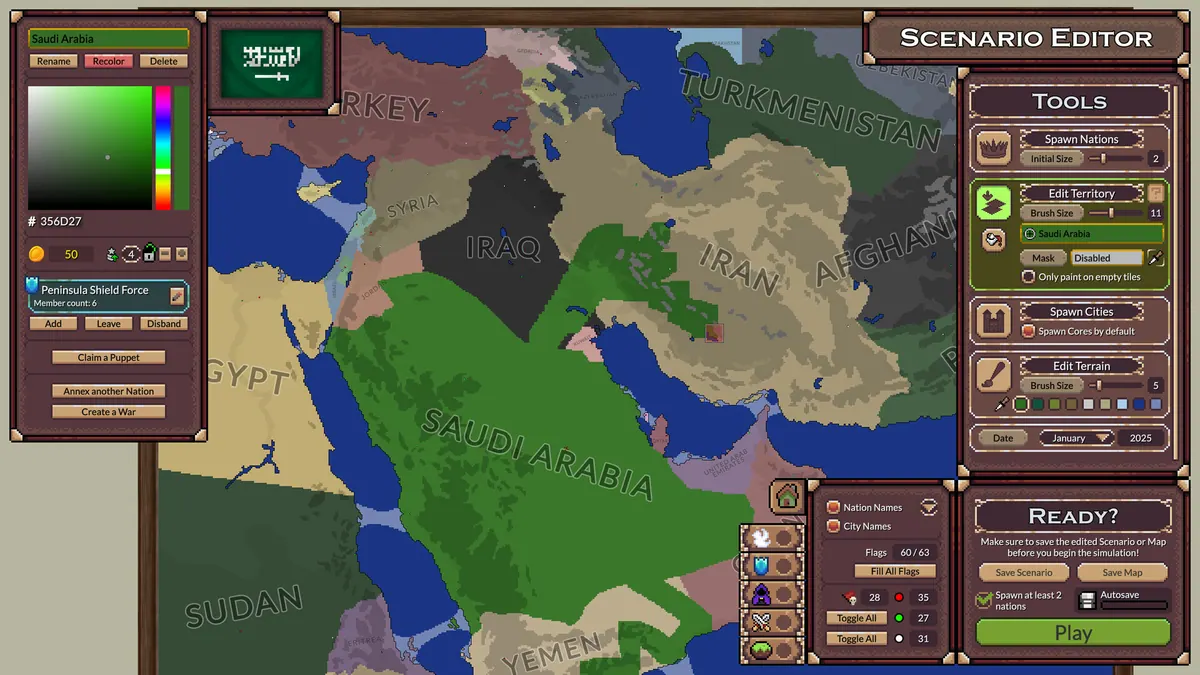
Why your interface may look different
When following a guide, check three things: the platform, the version number, and whether it shows an editor or a running simulation. A mobile or full-version walkthrough may show controls that are unavailable in the legacy browser demo.
Important: do not rely on browser map saving
The developer has explained that the downloadable demo and browser demo share the same basic build, but custom maps created in the browser are not saved like they are in the downloaded version. Treat a browser creation as temporary. If you spend time painting a map, capture a screenshot before closing or refreshing the page.
Restarting the embedded frame, clearing site data, changing browsers, or closing the session may remove browser-side progress. Persistent scenario work is a strong reason to use a downloadable version instead.